

A complete comparison of all MOXA UPort models, including both Gen 1 & Gen 2 series, to help you choose the right USB-to-Serial converter.
In this selection guide, we will walk you step by step, starting with a general overview of the existing types of MOXA UPorts and then diving deeper into each category. Along the way, you will find comparison tables and links to related products.
If you are not familiar with Serial Standards or USB-to-Serial Converters, we suggest reading our two dedicated articles on these topics before continuing. This will help you build the bigger picture and create a stronger foundation for choosing the right UPort.
What is a MOXA UPort?
MOXA’s UPort Series consists of two types of products:
- USB-to-Serial converters
- Industrial-grade USB hubs
USB-to-Serial converters allow you to connect devices with COM ports, working via serial standards (RS-232 / RS-422 / RS-485), to laptops, industrial computers, and PLCs equipped with USB ports.
USB hubs simply help you connect multiple USB devices to a single USB port on your computer or controller.
Since both product groups share the same UPort name, MOXA uses a simple naming rule to differentiate them:
- UPort followed by four numbers (for example, UPort 1110, UPort 1450) → USB-to-Serial converters
- UPort followed by three numbers (for example, UPort 204, UPort 407A) → USB hubs
This article is fully dedicated to USB-to-Serial converters.
If you want to skip the introduction, you can jump directly to the selection guide using the button below.
Why choose MOXA UPort?
Before moving into the actual selection guide, let’s briefly explain why APulsar Technologies, an official MOXA distributor, considers UPort one of the best USB-to-Serial converter families on the market.
MOXA UPort has been on the market since 2000s. In 2023, the product line was upgraded to Gen 2, making it even stronger.
Here are two main features that make MOXA UPort Gen 2 stand out:
- 10x faster: USB speed increased from 480 Mbps to 5 Gbps by upgrading to USB 3.2
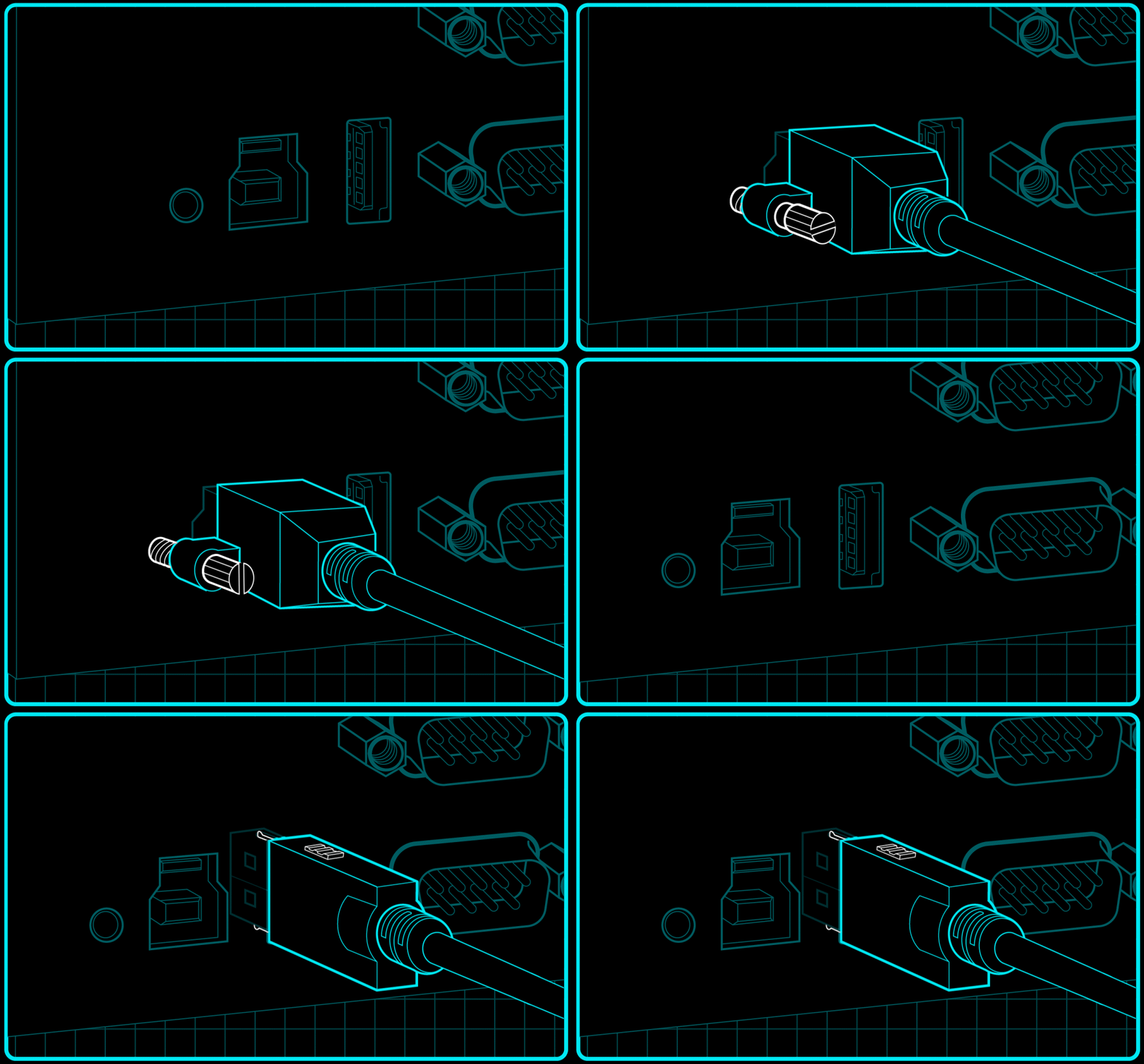
- Worry-free USB connections: A latching cable and connector provide a more secure and stable physical connection
MOXA has been producing serial converters since 1987, and over the years has outlived most competitors in this segment. One of the strongest advantages of MOXA UPort devices is their wide operating system and platform support, which makes them suitable for both OT and IT-oriented environments.
MOXA provides drivers and support for a broad range of operating systems and virtual environments, including:
- Windows
- Linux
- macOS
- ARM-based platforms
- VMware Fusion
- VMware ESXi
- Parallels Desktop (Windows on macOS)
- Android API
Another major strength of UPort devices is their industrial certification set. Most models are EMC, EMI, and EMS certified, allowing them to withstand electromagnetic interference — critical in industrial environments. Newer models are also certified for free-fall, vibration, and shock resistance.
For applications where surge and voltage spike protection is crucial, many models are available in “-I” versions, offering 2 kV serial isolation.
We intentionally do not list exact OS versions and certifications here, as driver support and approvals are regularly updated. To check the latest drivers and certifications for a specific UPort model, please refer to the official MOXA website.
How to choose MOXA UPort – USB-to-Serial Converters
Before exploring the differences between models, let’s first review what all UPort USB-to-Serial converters have in common.
If the specifications listed below fully meet your requirements, you can safely choose any model based on price, stock availability, or preferred form factor.
MOXA UPort USB-to-Serial Converters – Shared specifications
All UPort USB-to-Serial converter models share the following specifications:
- 1 x USB port, UFP (Upstream Facing Port) for connection to a computer
- USB speed: up to 12 Mbps
- USB 2.0 and USB 1.1 compliance
- DB9 male connector for serial interfaces
- Baud rate: 50 bps to 921.6 kbps
- Data bits: 5, 6, 7, 8
- Stop bits: 1, 1.5, 2
- Parity: None, Even, Odd, Space, Mark
- Flow control: None, RTS/CTS, XON/XOFF
All UPort USB-to-Serial converters are available either as:
- Pure RS-232 models, or
- Universal RS-232 / RS-422 / RS-485 models
The only two exceptions are the UPort 2210 / 2410 series (RS-232 only) and UPort 1130 / 1130I (RS-422/485 only, without RS-232).
MOXA UPort USB-to-Serial Converters – Comparison by differences
Now that we understand what all models share in common, let’s focus on their key differences.
For better readability, this selection guide highlights only the major distinguishing features of each product series.
*Note: UPort 1200 / 1400 and UPort 1600-8 models are no longer available and have been replaced by the Gen 2 series. Although MOXA still uses “UPort 1200 / 1400 / 1600 Series” as a product series name, in practice this series now includes only two models: UPort 1610-16 and UPort 1650-16.
For clarity and consistency, this selection guide refers to these models collectively as the UPort 1600-16 Series.
Gen 1 Models
| Specification | UPort 1100 | UPort 1600-16 | UPort 2210 / 2410 |
|---|---|---|---|
| USB 3.2 Gen 1 | No | No | No |
| Max USB speed | 12 Mbps | 480 Mbps | 480 Mbps |
| Cable latch & screw | No | No | No |
| Number of serial ports | 1 | 16 | 2 or 4 |
| FIFO | 64 bytes | 128 bytes | 16 bytes |
| 2 kV isolation models | Yes (*I models) | No | No |
| Serial surge protection | No | No | No |
| Temperature range | 0°C to 55°C | 0°C to 55°C | 0°C to 55°C |
| Wide temperature range | – | – | – |
| Housing | ABS + polycarbonate | Metal | Polycarbonate |
| Rackmount option | No | Yes (WK-44-01) | No |
| Key Notes: | • UPort 1100: cable-type form factor, smallest and lightest series • UPort 1600-16: 16 serial ports without a hub, 100–240 VAC power input • UPort 2210 / 2410: pure RS-232, cost-effective multi-port solution, highest MTBF (over 3,900,000 hours) | ||
Gen 2 Models
| Specification | UPort 1200-G2 | UPort 1400-G2 | UPort 1600-8-G2 |
|---|---|---|---|
| USB 3.2 Gen 1 | Yes | Yes | Yes |
| Max USB speed | 5 Gbps | 5 Gbps | 5 Gbps |
| Cable latch & screw | Yes | Yes | Yes |
| Number of serial ports | 2 | 4 | 8 |
| FIFO | 512 bytes | 512 bytes | 512 bytes |
| 2 kV isolation models | Yes (*I models) | Yes (*I models) | Yes (*I models) |
| Serial surge protection | Yes | Yes | Yes |
| Temperature range | 0°C to 60°C | 0°C to 60°C | 0°C to 60°C |
| Wide temperature range | -40°C to +75°C | -40°C to +75°C | -40°C to +75°C |
| Housing | Metal | Metal | Metal |
| Rackmount option | Yes (RK-UP1600-G2) | Yes (RK-UP1600-G2) | Yes (RK-UP1600-G2) |
| Key Notes: | • UPort 1200-G2: USB-powered only, highest MTBF among Gen 2 models • UPort 1400-G2: the only 4-port model with all Gen 2 benefits • UPort 1600-8-G2: the only 8-port Gen 2 model with all Gen 2 benefits; UPort 1650-8-G2-Hub adds 3 USB-A downstream ports | ||
Which MOXA UPort should I choose?
Use the scenarios below to quickly narrow down the right UPort series for your project.
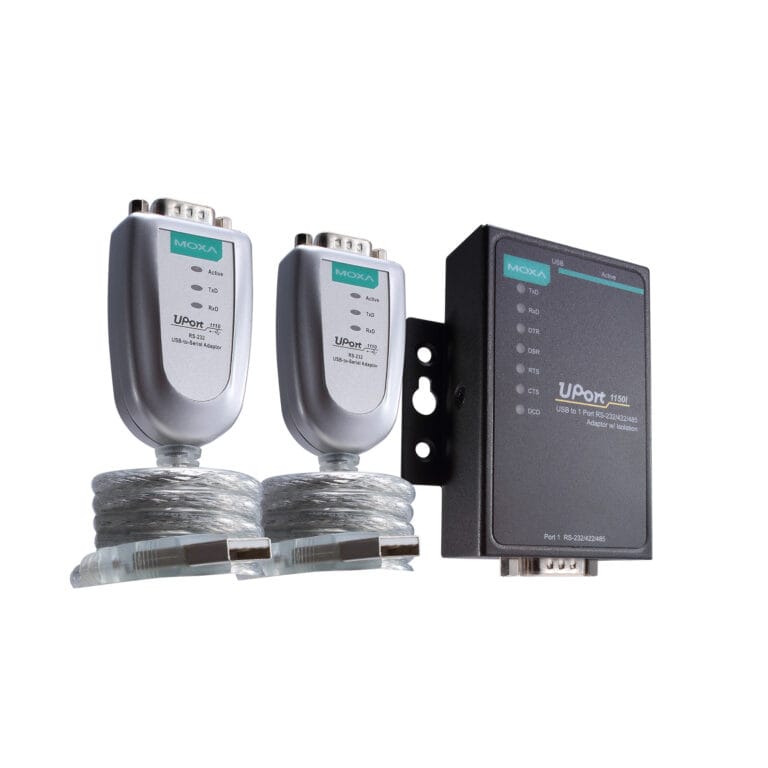
1. I need a simple, single-device connection
If you are connecting one serial device to a laptop, IPC, or PLC for configuration, maintenance, or occasional data access:
Compact, lightweight, cable-type converters. A good fit for field engineers, service tasks, and mobile use.
2. I need multiple serial ports in a control cabinet
If your system requires 2-8 serial devices connected permanently inside a cabinet:
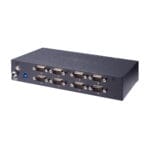
- UPort 1200-G2 / 1400-G2 / 1600-8-G2 Series – Gen 2 models offer USB 3.2 speed, higher FIFO buffers, metal housing, industrial certifications, and optional rack mounting.
Choose based on the number of required serial ports:
- 2 ports → UPort 1200-G2
- Up to 4 ports → UPort 1400-G2
- Up to 8 ports → UPort 1600-8-G2
3. I need a high-density serial solution
If you need more than 8 serial ports in one unit, for example in testing systems, legacy integration, or centralized serial data collection, there are two options:
Option A: Single high-density unit
- UPort 1600-16 Series (Gen 1) – Sixteen serial ports in one device, powered directly from AC mains. Best suited for fixed installations where a single, centralized unit is preferred.
Option B – Modular expansion (recommended for new systems)
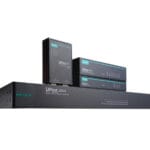
Cascade Gen 2 UPorts using UPort 1650-8-G2-Hub
- Cascade up to three UPort-G2 devices, reaching a total capacity of up to 32 serial ports
- No additional power adapters required
- Easier scalability and replacement compared to a single high-density unit
- Full Gen 2 performance, protection, and temperature range support
4. I only work with RS-232 and want a cost-effective solution
If your application uses RS-232 only, and you need 2 or 4 ports at a lower cost:
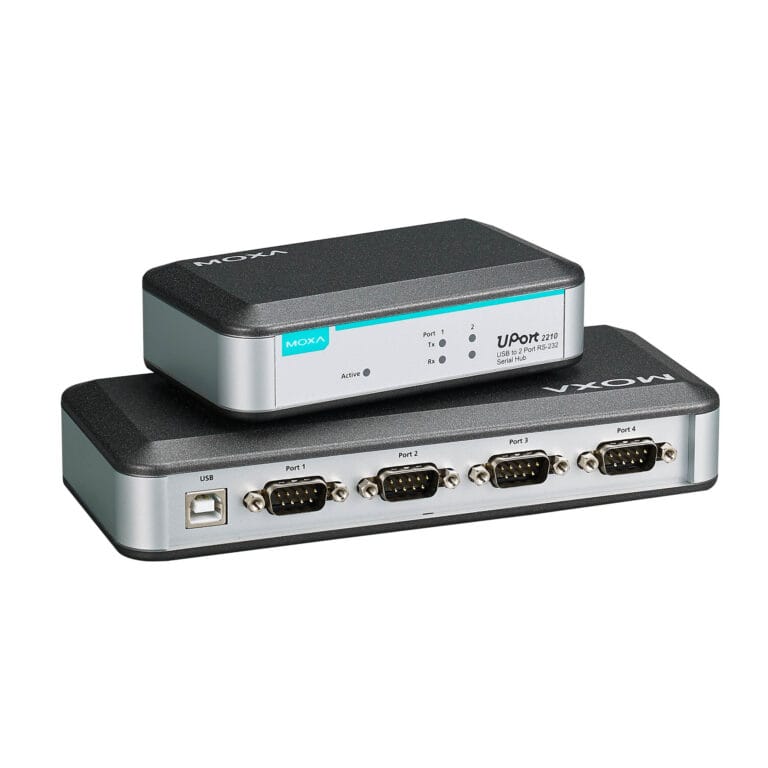
- UPort 2210 / 2410 Series – Simple, reliable RS-232 converters with extremely high MTBF.
5. I work in harsh industrial environments
If your system is exposed to electrical noise, surges, vibration, or temperature extremes:
- Choose models with the “-I” suffix – These versions provide 2 kV serial isolation and additional protection against voltage spikes.
For outdoor or extreme environments, focus on Gen 2 models with wide temperature support (−40°C to +75°C).
Why buy from APulsar?
APulsar supports industrial projects in Malaysia with both local availability and engineering-level technical support for MOXA solutions.
- Official MOXA Distributor in Malaysia
- MXCA & MTSC certified engineers
- Ready stock in Malaysia for the most popular products
- Same-day delivery in Petaling Jaya and Kuala Lumpur
- Test samples available for evaluation (loan units for selected in-stock models)
For more details about our partnership with MOXA, please visit our dedicated MOXA Distributor in Malaysia page.
Still not sure?
If your project has specific constraints — such as OS compatibility, certifications, form factor, or long-term availability — contact APulsar’s technical team.
Our engineers have 10+ years of hands-on experience with MOXA industrial connectivity solutions and can help you choose the right model for your system architecture and long-term requirements.
Get in touch!
The APulsar team hopes that this article has been insightful for you. Anytime you need advice, assistance, or technical support — just contact us.
And if you would like to see more useful guides like this one, don’t forget to subscribe to our newsletter below!

This is the heading
Lorem ipsum dolor sit amet, consectetur adipiscing elit. Ut elit tellus, luctus nec ullamcorper mattis, pulvinar dapibus leo.